

Google Business Profile ranking factors play a crucial role in improving your business’s visibility in local search results. By understanding and optimizing these factors, you can ensure that your business stands out when potential customers search for services like yours. Google Business Profile is a powerful tool that helps businesses enhance their local SEO and rank higher in Google’s search results, including Google Maps. This blog will cover the 12 best ranking factors that can significantly boost your profile’s performance and visibility.
How Google Business Profile Affects Local Search Results
Google’s search algorithm uses multiple ranking signals to determine the relevance and ranking of businesses in local searches. When a potential customer searches for a service or business like yours, Google Business Profile plays a key role in ensuring your business shows up in relevant results.
Here are the key ranking signals that Google uses to evaluate your Google Business Profile:
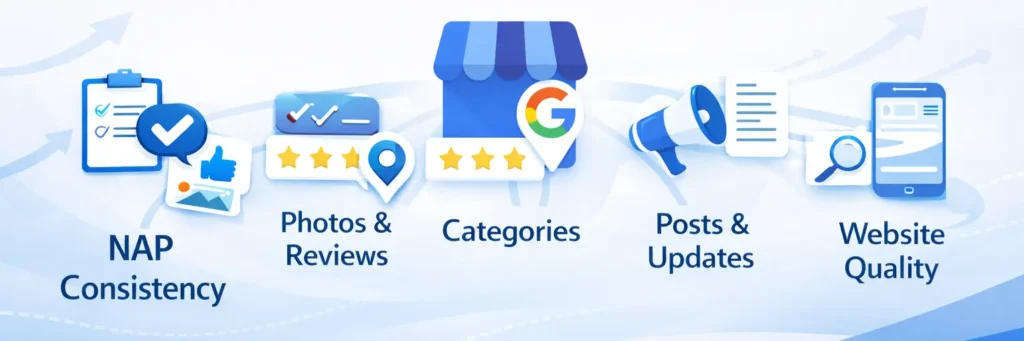
- NAP Consistency (Name, Address, Phone number): Ensuring your business’s details are accurate and consistent across all platforms and directories.
- Photos and Reviews: Positive reviews and high-quality photos can improve user engagement and your overall ranking.
- Google My Business Categories: Selecting the right categories for your business helps Google understand what your business offers and improves your relevance in local searches.
- Google Posts: Regularly posting updates, offers, and news keeps your profile fresh and engaging.
- Proximity to the Searcher: Your business’s proximity to the person conducting the search plays a key role in ranking. The closer your business is to the searcher, the higher your chances of appearing in local results.
- Local Keyword Targeting: Using location-based keywords in your profile helps increase your visibility in local searches.
The proximity to the searcher’s location is particularly important. For instance, if a person searches for “best coffee shop near me“, Google’s algorithm will prioritize businesses that are closer to the searcher’s location.
- Example: Let’s say you run a plumbing business in Chicago. By optimizing your Google Business Profile with relevant categories (e.g., “Plumber,” “Emergency Plumbing Services”), adding photos of your services, and encouraging reviews from local customers, Google will recognize your business as a relevant and trustworthy result for users searching for plumbing services in Chicago. This local SEO optimization can help your business appear higher in Google search results and increase the likelihood of customers choosing your services.
For businesses looking for expert guidance on optimizing their Google Business Profile and improving their local SEO, a digital marketing agency like Click Path Marketing can provide tailored strategies to boost your online presence.
Why This Is Important:
Understanding how Google’s ranking algorithm evaluates your Google Business Profile helps you take actionable steps to improve your visibility. By focusing on these key ranking signals, you can ensure that your business appears at the top of local search results, leading to more visibility, website visits, and customer conversions.
Top Google Business Profile Ranking Factors to Boost Your Visibility
Now that we understand the importance of Google Business Profile (GBP), let’s dive into 12 essential ranking factors that can help you increase local visibility and improve your rankings in local search results.
1. Google Business Profile Completeness and Tracking
One of the first steps in improving your Google Business Profile ranking is ensuring that your profile is complete. Google rewards businesses with complete profiles because they provide more information to searchers and help Google understand your business.
- Add all details: Ensure your business name, address, phone number, website, and business hours are correct and up-to-date. The more complete your profile, the better your chances of appearing in relevant searches.
- Update your profile regularly: Keep your Google Business Profile updated with accurate information, including any changes to your business offerings, hours, or location. An outdated profile can hurt your chances of ranking higher.
- Track your performance: Use Google My Business Insights to monitor key metrics like views, clicks, and calls. This data helps you understand how customers are engaging with your profile, allowing you to optimize it further for better results.
2. How Reviews Impact Rankings and How to Respond
Google Business Profile reviews are one of the most important ranking signals for local SEO. Positive reviews signal to Google that your business is reputable and trustworthy, which can directly impact your ranking.
- Request reviews: Encourage satisfied customers to leave reviews on your Google Business Profile. The more positive reviews your business has, the higher your local search ranking can be.
- Respond to reviews: Engage with customers by responding to their reviews. Google values this interaction, and it can influence your rankings. Responding to negative reviews professionally shows potential customers that your business cares about feedback and customer satisfaction.
3. Google My Business Categories and Optimization
Choosing the right Google My Business categories is essential for local search optimization. Google uses these categories to understand what products or services your business offers, which affects how your business is ranked in relevant search queries.
- Choose primary and secondary categories: Select the most specific and relevant categories to ensure your business ranks for the right queries. For example, if you own a plumbing business, choose “Plumber” as your primary category and “Emergency Plumbing Service” as a secondary category.
- Update categories regularly: As your business evolves, make sure your categories are updated to reflect new services or offerings. Keeping your categories relevant helps Google understand the breadth of your business.
4. Photos, Videos, and Google Posts
Visual content is a powerful tool for improving your Google Business Profile ranking. Adding high-quality photos and videos helps your profile stand out and increases engagement with potential customers.
- Add high-quality photos: Show off your business, products, or services through engaging images. Businesses with photos on their profiles are more likely to get clicks. Include a variety of photos, such as your storefront, products, team members, and any services you provide.
- Post regular updates: Google Posts allow businesses to share promotions, events, or news directly in search results. Regularly posting updates helps to keep your profile fresh and engaging, which can influence your ranking.
5. Proximity to Search Location and Local Relevance
One of the key aspects of local SEO for Google Business Profile is proximity how close your business is to the searcher’s location. This is an important factor in determining whether your business will appear in local search results.
- Target local keywords: Include the name of your city or neighborhood in your GBP description and services. For example, if you are a plumber in Chicago, include “Chicago plumbing” or “plumbing services in Chicago” in your description and services.
- Engage with local customers: Encourage reviews and posts that mention the area where you operate, further increasing your business’s relevance in local searches. For example, a restaurant in New York should ask customers to mention New York in their reviews. To strengthen your approach, check out this small business local SEO strategy for actionable tips and insights.
To succeed in this competitive space, consider a structured local growth strategy to enhance your local SEO efforts. By understanding the need of a digital marketing agency, you can partner with professionals who specialize in local search optimization for small businesses and create a comprehensive plan that drives growth and visibility.If you’re looking for ways to get seen more on maps and enhance your local search performance, our guide provides practical tips and strategies to help you rank higher on Google Maps.
6. Citations, NAP Consistency, and Updates
Citations (mentions of your business on other websites) and NAP consistency (Name, Address, Phone number) are essential for building credibility with Google’s ranking algorithm.
- Ensure consistency: Make sure your business name, address, and phone number are consistent across all platforms, from your website to third-party directories like Yelp, Facebook, and other local listings.
- Update regularly: Keep your Google Business Profile and other listings up-to-date to avoid confusion. Inconsistent information across directories can negatively impact your ranking.
7. Website Quality and Mobile Friendliness
Your website’s performance and mobile-friendliness play a significant role in your Google Business Profile ranking.
- Optimize your website: Ensure your website is fast, mobile-friendly, and provides a good user experience. Google favors websites that perform well, especially on mobile devices, since more people are searching on smartphones.
- Include location-based content: Create location-specific pages or content on your website that helps reinforce your local relevance. For example, if you offer services in multiple cities, consider creating a page for each location to improve your local SEO.
8. Google Q&A Section and FAQs
The Google Q&A section allows potential customers to ask questions directly on your Google Business Profile. Managing this section effectively can enhance customer engagement and improve your ranking.
- Populate FAQs: Adding frequently asked questions that highlight your services and business offerings can help provide customers with the information they need.
- Respond to questions promptly: Answer any questions posted by users in a timely manner. Google values quick responses, and it can help improve your local ranking.
9. Business Description and Keywords
Your business description provides an opportunity to optimize for specific local keywords that describe your business services and offerings.
- Include target keywords: Make sure your business description includes important keywords relevant to your industry and location, such as “best plumber in Chicago” or “New York dental services”.
- Be concise and clear: Google values clear and concise descriptions that accurately describe what your business does.
10. Service Areas and Coverage
For service-based businesses, setting up service areas is critical for ranking in different locations.
- Define service areas: Make sure your Google Business Profile includes all the areas you serve, not just your physical location. This allows your business to rank in multiple neighborhoods or cities.
- Use local keywords: In your service area, use city names and specific neighborhoods to help boost local SEO visibility.
11. Track Your Google Business Profile Insights
Monitoring your Google Business Profile insights is essential for understanding how well your profile is performing.
- Monitor key metrics: Track metrics such as views, clicks, calls, and direction requests to measure customer engagement and optimize your profile accordingly.
- Adjust based on data: Use this data to refine your business strategies, from adding new photos to adjusting your business hours.
12. Enhance User Experience with Booking Options and Website Link
Offering easy access to booking services or your business website can significantly impact Google Business Profile rankings.
- Add booking buttons: For service-based businesses, enable booking options directly on your profile to enhance customer experience and drive conversions.
- Include your website link: Ensure your website link is easily accessible to users looking for more detailed information about your business.
Why Does Google Care About Business Information Accuracy?
Google uses consistent, accurate information to evaluate the relevance and trustworthiness of businesses. When your NAP (Name, Address, Phone number) is accurate across all directories and platforms, Google is more likely to trust your information and rank your business higher.
Key Points for NAP Consistency:
- Name: Ensure your business name is consistent across all platforms and directories.
- Address: Double-check that your business address is the same on your website and third-party directories like Yelp, Yellow Pages, etc.
- Phone Number: Use the same phone number consistently, whether it’s on your website, Google Business Profile, or any directory listing.
When all these details are consistent, Google sees your business as more reliable, which can directly affect your rankings in local search results.
- Example: If your restaurant in New York lists a different phone number on your website versus Google Business Profile and Yelp, Google may struggle to verify your business, which could hurt your local ranking. But if your NAP details are the same across all platforms, Google will trust your business more and rank it higher in local search results.
If you’re unsure how to ensure NAP consistency or need help managing your online presence, you can explore the benefits of hiring a digital marketing agency. A professional agency can guide you through maintaining consistency and improving your Google Business Profile performance.
What are the Most Common Mistakes In Google Business Profile SEO
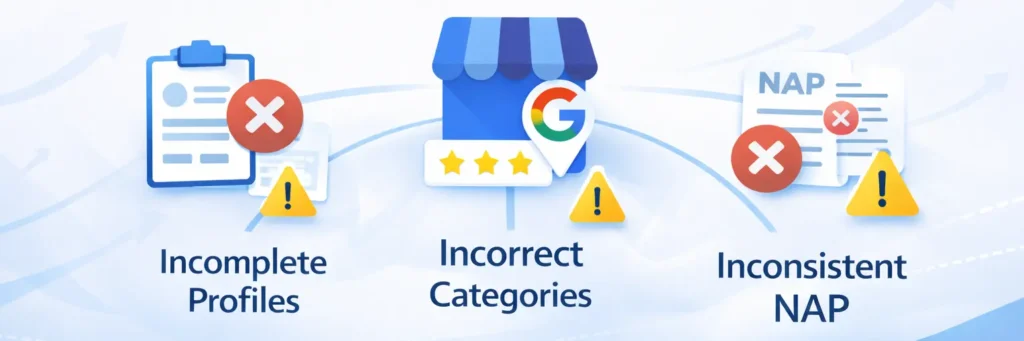
To avoid ranking setbacks and ensure your Google Business Profile helps your business get found, steer clear of these common mistakes:
Incomplete Profiles
Failing to fill out all relevant sections of your Google Business Profile can hurt your visibility. Google rewards businesses that provide complete information because it makes it easier for customers to find what they’re looking for.
- Add all details: Make sure your business name, address, phone number, website, and business hours are accurate.
- Provide all necessary information: Include services, business categories, and photos to give Google a comprehensive view of your business.
Incorrect Categories
Choosing the wrong category or neglecting to update your business categories can harm your ranking. Google uses categories to understand what products or services your business provides.
- Choose the right categories: Ensure you select both a primary and secondary category that accurately reflect your offerings.
- Update regularly: As your business evolves, update your categories to reflect new services or products.
Inconsistent NAP (Name, Address, Phone Number)
Inconsistent NAP across the web is one of the most common SEO mistakes. Google relies on consistent business information to evaluate your business’s relevance and trustworthiness.
- Ensure consistency: Make sure your business name, address, and phone number are identical across your website and all other directories (Google, Yelp, Yellow Pages, etc.).
- Check for discrepancies: Regularly audit your online presence to ensure consistency.
- Leverage a local link building service: An effective local link building service can help ensure your business is listed across reputable local directories and websites, further improving your online presence and consistency.
How to Optimize Google Business Profile for Voice Search
As more people use voice search, optimizing for voice queries becomes crucial for ranking higher in local search results.
Optimize for Conversational Queries
Voice searches are more conversational and natural compared to typed queries. Users often ask questions like, “Where is the best coffee shop near me?” or “Find a plumber in Chicago.” To optimize for these queries:
- Use natural language in your Google Business Profile description.
- Include questions or phrases that people might ask in a conversational tone. For example, a restaurant could optimize for queries like “What’s the best Italian food in [Your City]?”
Improve Local Relevance
Voice searches are location-based, meaning people often use voice search to find businesses near them. If you want your business to appear in these results:
- Ensure your Google Business Profile is fully optimized for local queries by including your city, neighborhood, and local keywords.
Example: If you’re a plumber in New York, mention “plumbing services in New York” in your business description and service lists.
If you need expert help with optimizing your Google Business Profile, consider our google business profile optimization service to ensure your profile is tailored for both traditional and voice search queries.
How to Track Your Google Business Profile Rankings and Performance
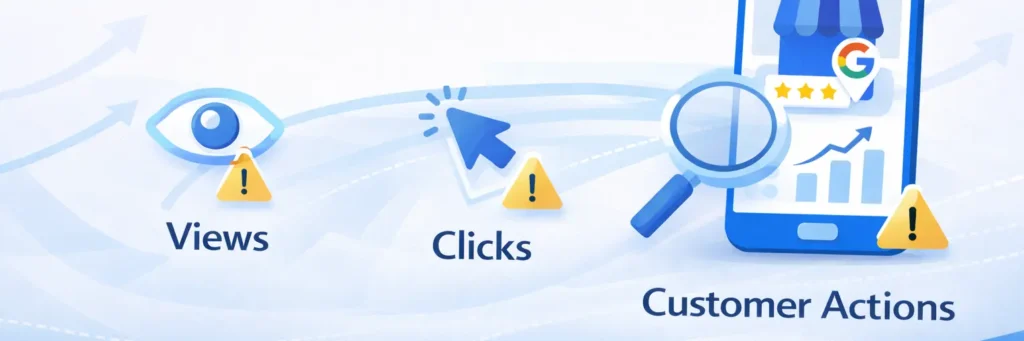
Google My Business insights is a powerful tool that allows you to track how well your Google Business Profile is performing. By monitoring the key metrics provided by Google My Business, you can understand what’s working and what needs improvement.
Key Metrics to Track:
- Views: Track how many people are viewing your profile. This gives you an idea of your visibility in local search results.
- Clicks: See how many people are clicking on your profile to learn more about your business or visit your website.
- Customer Actions: Monitor the actions customers take after viewing your profile, such as calling your business, requesting directions, or visiting your website.
Example: If you notice that your views are high, but your customer actions (e.g., calls or website visits) are low, you may need to update your contact information or make your business website more engaging to convert those views into actual customers.
By regularly reviewing these metrics, you can determine which aspects of your Google Business Profile need improvement and make data-driven decisions to enhance your local SEO.
If you’re looking for a comprehensive review and in-depth analysis of your profile’s performance, our local SEO audit service can help identify areas of improvement and offer actionable insights for better results.
Conclusion
Now that you understand the Google Business Profile ranking factors, it’s time to put them into action. Ensure your profile is complete, optimize it with the right categories, and consistently request reviews to improve your local search visibility. Track your performance through Google My Business insights to refine your strategy. If you need professional help with optimizing your Google Business Profile and local SEO, Click Path Marketing is here to assist. Contact us today for expert support that will enhance your rankings and drive more traffic to your business!