

If you’ve set up your Google Business Profile and you’re waiting for it to show up in local search results, you’re not alone. This is one of the most common questions small business owners ask, and the honest answer is: it depends. But that’s not where the answer ends.
There’s no fixed timer that counts down to the moment how long does Google My Business take to rank. What actually determines how fast you show up in the local pack comes down to your profile quality, your competition, and how consistently you’re earning reviews, building citations, and keeping your profile active.
Some businesses see movement in 4 to 6 weeks. Others are still waiting after 3 months because they’re missing the fundamentals.
This guide draws on what we’ve seen working across dozens of local service business profiles breaking down what actually drives your Google Business Profile ranking, how long you can realistically expect it to take, and what you can do right now to move faster.
Showing Up vs. Ranking – What’s the Difference?
Before anything else, it’s worth clearing up a confusion that trips up a lot of business owners.
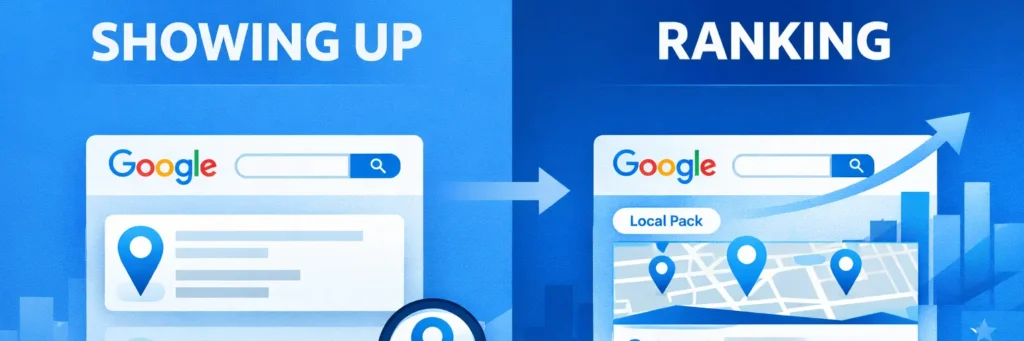
Getting your profile to show up on Google and actually ranking in the local pack are two different things.
When you create and verify your Google Business Profile, Google will eventually index it and make it visible. You might even find it if someone searches your exact business name. That’s not ranking, that’s just being listed.
Ranking means your profile appears in the local pack the map section with three businesses that shows up when someone searches for a service keyword like “electrician in Dallas” or “roof repair near me.” This is the visibility that drives actual leads and calls. Getting there takes considerably more than just being verified.
Verification itself typically takes anywhere from a few days to 2 weeks depending on the method Google assigns most commonly video verification or phone, though postcards are still used in some cases. But verification is just the starting line. The ranking race begins after that.
So How Long Does It Actually Take?
Now that you know what ranking actually means, here’s a realistic timeline based on where most local businesses land:
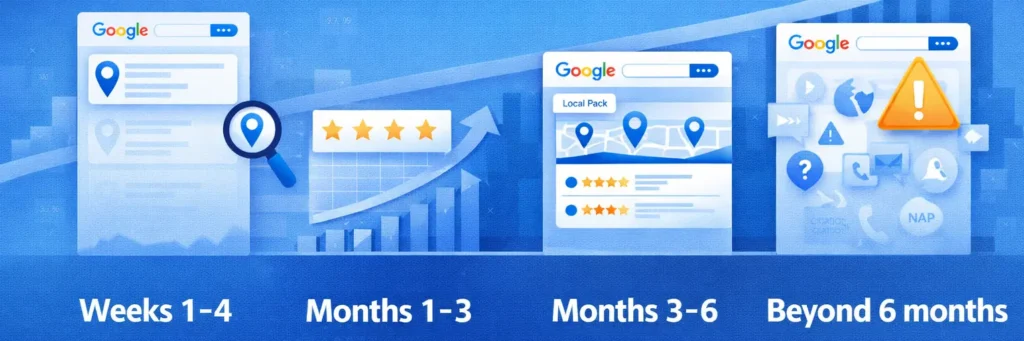
- Weeks 1 to 4: Google verifies and indexes your profile. You may start appearing for very low-competition searches, usually searches for your exact business name or very specific neighborhood terms. Don’t expect much at this stage.
- Months 1 to 3: If your profile is fully optimized, you’re getting reviews, and your website supports your GBP with consistent NAP (name, address, phone number) information, you’ll likely start seeing discovery impressions climb in GBP Insights meaning people are finding you through service searches, not just your business name. This is the first real sign your profile is gaining traction. This is also the stage where most business owners get impatient and either stop optimizing or make unnecessary changes, both of which slow progress down.
- Months 3 to 6: This is where properly optimized profiles start breaking into the local pack for competitive keywords. If you’re in a saturated market like home services, roofing, or HVAC, it can take closer to 6 months to rank consistently for high-intent terms.
- Beyond 6 months: If you’re still not ranking after 6 months, the issue is almost never time. It’s a signal problem – incomplete profile, weak review volume, inconsistent citations, or a website that’s not backing up your GBP.
The 3 to 6 month range is a reasonable expectation for most small service businesses. But treating it like a passive waiting game is the fastest way to end up at month 9 with no results. Which brings us to what you should actually be doing during that window.
What Speeds Up Google Business Profile Ranking?
These aren’t generic tips. These are the specific actions that directly influence how fast and how high your profile ranks.
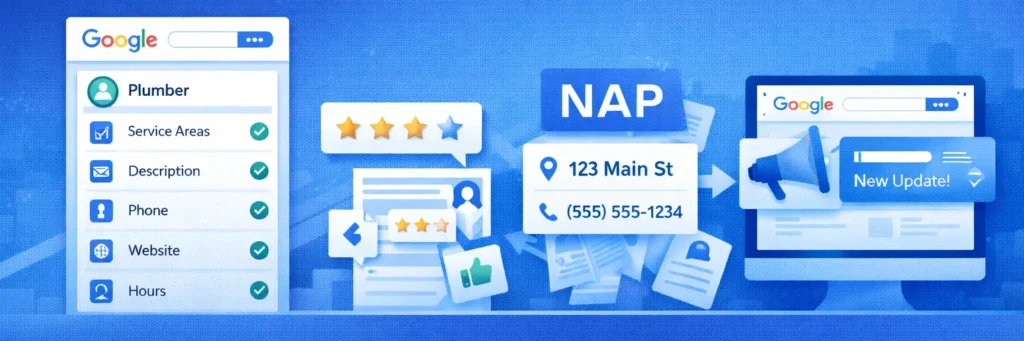
Complete and Accurate Profile Information
Google needs to fully understand your business before it ranks you. That means filling out every field: business category, service areas, business description, hours, phone number, website, and services list. Your primary category carries significant weight. If you’re a plumber, “Plumber” should be your primary category, not “Contractor” or “Home Services.” In addition to completing your profile, implementing effective local SEO strategies on your website and supporting pages can further strengthen your ranking signals. Incomplete profiles don’t just rank slower, they give Google less confidence in your legitimacy, which actively works against you.
Reviews – Volume, Recency, and Responses
Reviews are one of the strongest prominence signals Google uses. A profile with 40 reviews will almost always outrank a profile with 8, assuming everything else is equal. But it’s not just about volume.
Recency matters. A business that got 30 reviews two years ago and nothing since looks stagnant. Google wants to see ongoing review activity as a sign that your business is still active and relevant.
Responding to reviews both positive and negative also signals engagement. It takes two minutes and makes a real difference.
By actively managing your reviews and ensuring consistent engagement, you can get prominent on maps and increase your chances of ranking higher in local searches.
NAP Consistency Across the Web
Your business name, address, and phone number need to match exactly across your website, GBP, and every directory listing you’re on Yelp, Facebook, Apple Maps, Bing Places, and industry-specific directories. Even small inconsistencies, like “St.” vs “Street” or a missing suite number, create confusion for Google and can suppress your ranking. Maintaining this consistency not only avoids penalties but also strengthens your overall website authority, helping Google trust your business and rank it higher in local searches.
Your Website Has to Support Your GBP
A lot of business owners treat their Google Business Profile as independent from their website. It’s not. Google cross-references your GBP with your website to validate your location, services, and authority. If your website has a dedicated location page that includes your address, service area, the specific services you offer, and a few hundred words of genuinely useful local content, it sends stronger relevance signals that directly support your GBP ranking.
If your website is thin, slow, or has no local signals, it holds your GBP back and no amount of profile optimization will fully compensate for a weak website behind it.
Consistent Google Posts
Google Posts is not a primary ranking driver, but it does signal that your profile is active and being managed. Posting once or twice a week with updates, offers, or service highlights is enough. Think of it as a low-effort way to reinforce profile activity while your stronger signals, reviews, citations, and your website do the heavy lifting.
For a deeper dive into the factors that influence how your profile ranks and additional optimization strategies, refer to this comprehensive guide.
Common Mistakes That Stall Your Ranking
Knowing what to do is only half the picture. A lot of businesses follow the right steps but unknowingly cancel out their progress with these mistakes. Performing regular auditing your profile can help identify issues before they impact your ranking.
- Choosing the wrong primary category. This is one of the most impactful and most overlooked mistakes. Your primary category tells Google what you are. Get it wrong and you’re competing for the wrong searches entirely.
- Keyword stuffing the business name. Adding service keywords to your business name like “Mike’s Plumbing | Emergency Plumber Dallas” is against Google’s guidelines and a common reason profiles get suspended or penalized. Your business name on GBP should match your real-world business name, nothing more.
- No review strategy. Waiting for reviews to come in organically is not a strategy. You need a repeatable process for asking customers whether that’s a follow-up text, an email, or a QR code at the point of service.
- Ignoring the Q&A section. Google’s Q&A section is publicly visible and anyone can add questions to your profile including people with the wrong information. Leaving it unmanaged means potential customers may see unanswered or inaccurate questions before they ever contact you. Populate it with the questions your customers actually ask and answer them clearly.
- Mismatched service areas. If you serve multiple cities but your profile only lists one, you’re invisible to everyone searching outside that single location no matter how well optimized the rest of your profile is.
Service Area Businesses (Does Hiding Your Address Affect Ranking?)
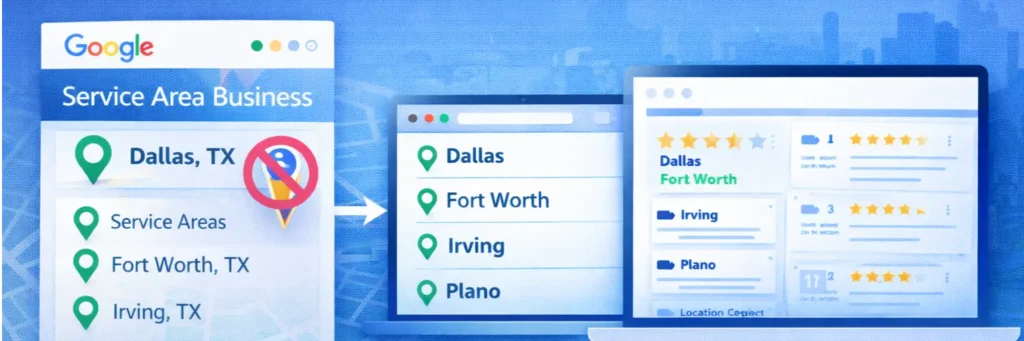
If you’re a plumber, electrician, HVAC technician, or any other business that works at the customer’s location, local SEO can feel like an uphill battle. No storefront, no visible address, and you’re competing against businesses that have both. One of the most common questions SABs ask is whether hiding their address on GBP makes ranking even harder.
The short answer is no. Hiding your address does not directly hurt your Google Business Profile ranking. Google has built its algorithm to handle service area businesses differently from storefront businesses, and it actually recommends hiding your address if you don’t serve customers at your location.
What does matter is how clearly you’ve defined your service areas inside your GBP settings. Instead of relying on proximity to a physical address, Google leans more heavily on your listed service areas, the location signals on your website, and reviews from customers in those areas.
A few things service area businesses should focus on:
- Set your service areas accurately. List every city or zip code you genuinely serve. Don’t over-expand just to capture more searches Google filters out businesses that don’t have real signals in those areas.
- Get reviews that mention locations. When a customer in a specific city leaves a review mentioning that city or neighborhood, it reinforces your relevance there.
- Build location pages on your website. If you serve 5 cities, a dedicated page for each one covering your services in that area, your contact details, and locally relevant content gives Google the on-site signals it needs to connect your GBP to those locations. Without them, your service area settings alone carry all the weight.
With the right setup, accurate service areas, location-specific website pages, and reviews that reference the cities you serve, SABs can rank just as competitively as any storefront business in the same market.
For many businesses, professional marketing support can help with your service area setup, ensuring that your local SEO strategy is aligned with the best practices and increases your chances of ranking in your targeted locations.
Why Is a Competitor Outranking You Despite Having a Newer Profile?
This is one of the most frustrating situations in local SEO. You’ve been in business longer, your profile looks complete, and yet a newer competitor is sitting above you in the local pack. Here’s why that happens and what you can do about it.
- Review velocity beats review age. A newer business that’s actively collecting reviews every week will often outrank an older business that earned most of its reviews years ago and has gone quiet. Google weighs recency heavily, and a stale review profile is a ranking liability.
- Their website is doing more work. A competitor with stronger local content and more authoritative backlinks pointing to their site sends better relevance and authority signals to Google. Page speed matters too, but it’s the quality of local content and the site’s overall authority that most directly supports Google Business Profile ranking.
- They have better category targeting. If a competitor has nailed their primary and secondary categories while yours are vague or mismatched, they’ll rank for more relevant searches regardless of how long you’ve been listed.
- Their citations are cleaner. Consistent, accurate directory listings build trust with Google. If your business has moved, changed phone numbers, or rebranded at any point, old inconsistent citations can quietly suppress your ranking without you realizing it.
- Their profile has more photos and stronger engagement. Google tracks how users interact with your profile clicks, calls, direction requests, and photo views. A newer profile with regular photo uploads and strong engagement signals can outrank an older profile that hasn’t been touched in months. An active profile looks like an active business.
The fix is almost never to wait them out. It’s to audit what they’re doing better and close the gap systematically.
How to Track Whether Your GBP Is Actually Ranking
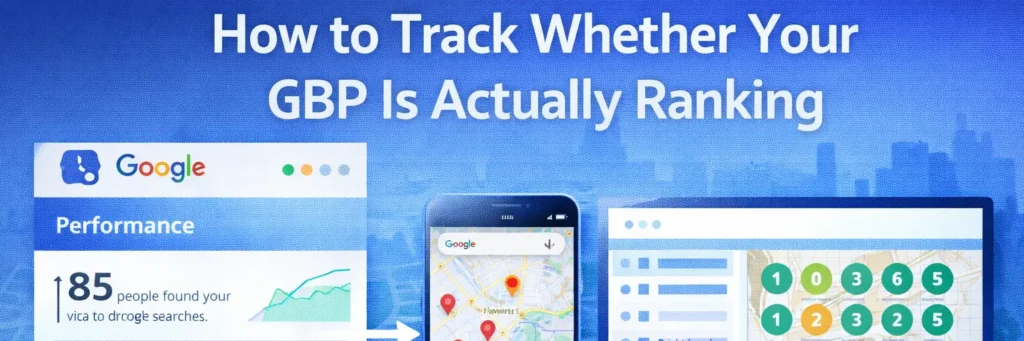
After putting in the work, you need a way to measure whether it’s paying off. Here’s how to track your Google Business Profile ranking progress without overcomplicating it.
- GBP Performance tab. Inside your Google Business Profile dashboard, the Performance tab shows how many people found your profile via direct searches (your brand name) versus discovery searches (service keywords). Rising discovery search impressions is a strong early signal that your ranking is improving.
- Manual map searches. Open Google Maps in an incognito browser window. Regular searches are personalized based on your history, which means you’ll almost always see your own profile ranked higher than it actually is for everyone else. Incognito gives you a cleaner, more accurate picture of where you’re actually showing up. Search your target keywords from different locations in your service area to get a realistic read.
- BrightLocal or Whitespark. These tools give you accurate, location-specific local rank tracking for your GBP. BrightLocal is the better all-in-one option for most small businesses, its local search grid visualizes exactly where you rank across your entire service area, not just one central point. Whitespark is worth considering if citation building and tracking is a bigger priority for your market. Ensuring your website is optimized with proper Technical SEO also supports accurate tracking and helps Google correctly interpret your profile and website signals.
- Check monthly, not daily. GBP rankings fluctuate regularly, a position drop on a Tuesday means very little on its own. One of the most common mistakes business owners make is checking their ranking daily, seeing normal fluctuation, and making changes that actually disrupt progress. A monthly review of your GBP Performance data combined with a quarterly rank tracking report gives you enough information to spot real trends and make decisions that move things forward.
What It Really Takes to Rank on Google Business Profile
Google Business Profile ranking is not a one-time setup task. It’s an ongoing process of building relevance, earning trust, and staying consistent over time. Most businesses that follow a structured optimization approach start seeing real movement between 3 and 6 months. Those that set it and forget it often wait much longer and sometimes never rank at all.
The businesses consistently showing up in the local pack are not there by accident. They’ve built complete profiles, earned steady reviews, maintained consistent information across the web, and backed everything up with a website that reinforces their local presence. Partnering with a trusted Local Lead Generation Agency can help streamline these efforts and ensure your business stays competitive while you focus on running day-to-day operations.
For most small business owners, the challenge isn’t understanding what needs to be done, it’s finding the time to do it consistently while running an actual business.
Want a clear picture of what’s holding your Google Business Profile back? Click Path Marketing offers a Google Business Profile optimization service built specifically for small service businesses. We’ve helped businesses across home services, roofing, HVAC, and more build profiles that rank and generate consistent leads. We’ll identify exactly what’s limiting your visibility and fix it.