

If you’re running a local business, learning how to rank higher on Google Maps is essential for attracting more customers. Google Maps ranking is a powerful tool for boosting local search visibility, and this ultimate guide will walk you through all the necessary steps to increase your rankings. From optimizing your Google My Business (GMB) profile to understanding key ranking factors and avoiding common mistakes, we’ll cover everything you need to know to rank higher on Google Maps
What Is Google Maps Ranking and How Does It Work?
Google Maps ranking refers to how businesses are displayed in the Map Pack (the group of businesses shown on the map results in Google search). When a user searches for a product or service near their location, Google will rank businesses based on three main factors:
-
- Relevance: How well your business matches the searcher’s query.
-
- Proximity: How close your business is to the searcher’s location.
-
- Prominence: How well-known and authoritative your business is online (this includes factors like reviews, backlinks, and social signals).
Google uses these ranking factors to determine which businesses appear first on Google Maps. The higher your ranking, the more likely it is that customers will find and visit your business. The key to ranking higher is optimizing your Google My Business profile and understanding the local ranking factors.
Why Google Maps Ranking Matters for Your Business
Google Maps isn’t just a map tool; it’s a major source of local traffic. Consider this: 72% of consumers who perform a local search visit a store within 5 miles of their location. Without ranking higher on Google Maps, your business is invisible to people searching for services in your area.
When you appear higher in the Google Maps search results, you increase your chances of getting discovered by local customers, leading to:
-
- Increased foot traffic to your business.
-
- More phone calls and website visits.
-
- Higher chances of gaining loyal customers who live or work nearby.
This is why it’s crucial to understand how to optimize for Google Maps search to improve your Google Maps visibility and get your business noticed. If you’re unsure how to begin optimizing your Google Maps ranking, why do you need a digital marketing agency to take the guesswork out and ensure your business ranks effectively.
How Google My Business (GMB) Impacts Google Maps Ranking
One of the most critical components of Google Maps optimization is Google My Business (GMB). Your GMB profile is directly tied to your Google Maps business listing and plays a vital role in how well you rank. Many local businesses struggle to fully optimize their profile, which is why investing in a professional google business profile optimization service can help ensure every ranking factor is properly structured and aligned with Google’s local search guidelines.
In addition to GMB optimization, local seo for small businesses is essential for improving your overall search visibility. By integrating both strategies, you’ll have a more robust presence in local search results and on Google Maps.
Steps for Google My Business Optimization:
Complete Your GMB Profile
Fill out every section, including your business name, address, phone number, hours, website, and business category. The more detailed and accurate your profile, the better your chances of ranking higher.
Add Photos
Photos help increase engagement and can lead to better rankings. Businesses with photos receive 42% more requests for directions and 35% more click-throughs to their websites. Include images of your storefront, products, team, and services.
Encourage Customer Reviews
Customer reviews are critical for improving your Google Maps ranking. A positive review score signals to Google that your business is trusted and reliable. Respond to all reviews, both positive and negative, to show your customers that you value their feedback.
Post Updates Regularly
Use Google Posts to share promotions, events, and business updates. Regular posting signals to Google that your business is active, and it can improve your local ranking.
Use Business Categories Wisely
Select primary and secondary business categories that are most relevant to your business. The more specific and accurate your categories, the better Google can match your business to search queries.
By following these Google My Business optimization tips, you can significantly improve your Google Maps ranking and increase your local visibility.
Top Factors That Affect Google Maps Ranking
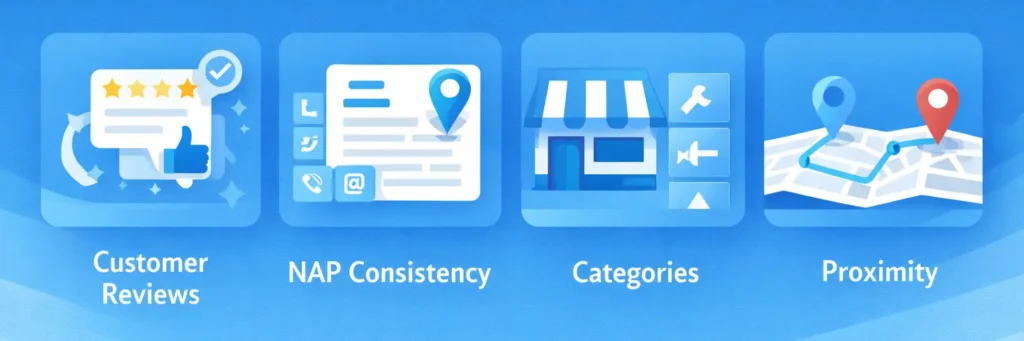
To boost your Google Maps ranking, it’s crucial to understand the key ranking factors. These factors influence how your business is ranked in the local pack and search results. Let’s break down the Google Maps ranking factors that matter the most. If you’re unsure which of these factors may be holding your business back, a professional local seo audit service can help identify technical gaps, citation inconsistencies, and profile weaknesses affecting your visibility.
1. Customer Reviews and Ratings
Google uses customer reviews to gauge the trustworthiness of your business. Positive reviews don’t just help build credibility; they also improve your ranking in the Map Pack. Here’s why:
-
- Quality and quantity: Google looks for businesses with a good quantity of positive reviews and consistent feedback.
-
- Recency: Google values recent reviews, so it’s important to continuously ask for feedback from your customers.
To boost your rankings, encourage satisfied customers to leave reviews, and respond to all reviews promptly. Address any negative feedback with professionalism to show that you care about your customers.
2. NAP Consistency (Name, Address, Phone Number)
One of the most important Google Maps ranking factors is NAP consistency. Ensure that your business name, address, and phone number are consistent across all directories, including your website, social media, and local business listings.
-
- Google cross-references your NAP data across the web to verify the legitimacy of your business. If there are discrepancies, it could hurt your ranking.
3. Business Categories and Services
Choosing the correct business categories for your Google My Business profile is essential. When users search for services related to your business, Google uses your business category to match your listing with relevant searches.
For example, if you run a plumbing business, select categories like plumber, emergency plumbing, and water leak services to increase your chances of showing up in relevant searches.
4. Proximity to the Searcher
Google’s algorithm also considers the distance between your business and the searcher. If you’re physically closer to the user’s location, you’ll have a higher chance of appearing in their search results.
How to Optimize Your Google Maps Listing for Better Rankings
Now that we know what factors affect your ranking, here’s how you can optimize your Google Maps listing to rank higher. While these steps can be implemented on your own, many businesses choose professional local seo services to ensure every ranking factor is properly optimized and aligned with long-term growth.
-
- Update Your Business Information Regularly: Ensure your hours, phone number, and address are correct. An accurate business profile boosts credibility and ensures you appear in local searches.
-
- Add Photos and Videos: High-quality photos give potential customers a clear idea of your business and services. Upload images that showcase your products, staff, and workspace to create a compelling listing.
-
- Get More Reviews: A steady stream of positive reviews can significantly boost your Google Maps visibility. Create a system for asking satisfied customers for reviews.
-
- Post Updates Regularly: Use Google Posts to highlight promotions, events, or seasonal offers. Fresh, relevant content shows Google that your business is active.
How Google Maps Rankings Impact Your Website’s SEO
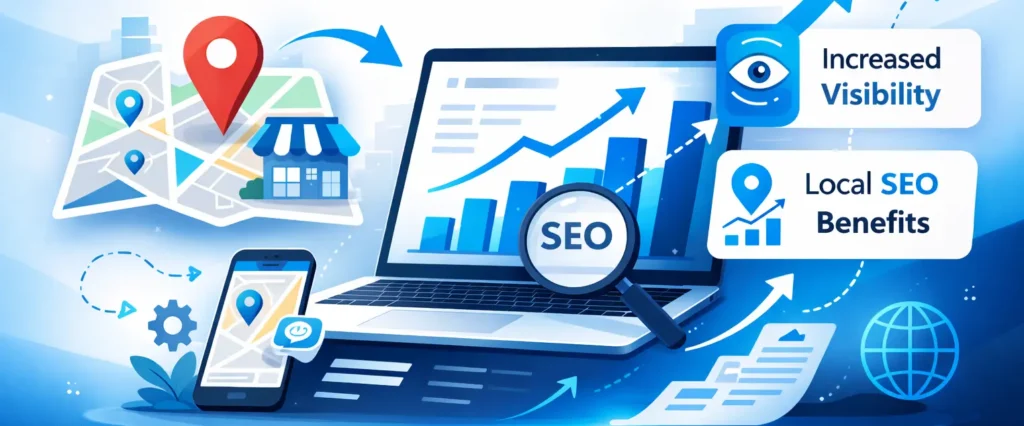
Your Google Maps ranking can also improve your overall SEO. By ranking higher on Google Maps, you increase the chances of getting more organic traffic to your website. Here’s how:
-
- Increased Visibility: A higher ranking in Google Maps means more people will find your business through local searches, leading to increased website visits.
-
- Local SEO Benefits: Google tends to prioritize businesses that rank well on Google Maps in general local search results. If you’re looking to optimize your local presence more effectively, understanding the benefits of hiring a digital marketing agency can help you navigate the complexities of SEO and Google Maps optimization.
Common Mistakes That Hurt Google Maps Rankings
Avoid these common mistakes to ensure your business ranks well on Google Maps:
-
- Neglecting Reviews: Failing to ask for or respond to reviews can hurt your rankings. Reviews are a key ranking factor, so make them a priority.
-
- Inconsistent NAP Information: Ensure your business information is consistent across all online platforms to avoid confusing Google’s algorithm.
-
- Not Optimizing Your Business Profile: An incomplete profile can lower your ranking. Ensure you have a fully filled-out GMB profile.
How to Rank Higher on Google Maps for Multiple Locations
If your business has multiple locations, Google Maps ranking becomes more complex, but it’s absolutely manageable. To ensure your multiple locations rank higher on Google Maps, follow these steps:
1. Create Separate Listings for Each Location
Each location needs its own Google My Business (GMB) listing. Don’t try to group multiple locations under a single listing this can confuse Google and hurt your rankings. Each location must be fully optimized for the area it serves.
-
- Local SEO Tip: If your business operates in multiple cities or neighborhoods, make sure each GMB listing is tailored to the specific area. For example, if you have a plumbing business with multiple branches, ensure each branch has its own optimized profile targeting the specific area (e.g., Chicago Plumbing Services, Downtown Chicago Plumbers).
2. Tailor Content for Each Location
To rank well for each location, it’s important to tailor the content on each GMB profile to include local keywords and accurate location details. This helps Google understand where each branch is located and what services it offers.
-
- Use Location-Specific Keywords: Instead of just using broad keywords like “plumbing,” use more specific keywords like “plumbers in Lincoln Park, Chicago” or “emergency plumbing in downtown Chicago.”
-
- Add Local Landmarks or Neighborhoods: Including local landmarks or popular neighborhood names in your business description and categories can help your listing show up in searches for those areas.
3. Ensure NAP Consistency Across All Locations
Your Name, Address, and Phone number (NAP) should be consistent across all listings and platforms. Inconsistent NAP data can confuse Google’s algorithm and negatively affect your rankings. Double-check that your NAP is the same across:
-
- Google My Business
-
- Your website
-
- Local business directories (YellowPages, Yelp, etc.)
4. Monitor Reviews and Engagement for Each Location
Each location should actively collect reviews from customers in that area. Local reviews not only boost trust but also signal to Google that your business is legitimate and relevant to a specific location.
-
- Encourage customers to leave reviews mentioning location-specific experiences (e.g., “Great plumbing service in Lincoln Park”).
-
- Respond to Reviews: Address both positive and negative reviews, showing that you care about customer feedback for each location.
5. Post Location-Specific Updates
Use Google Posts to share updates, offers, or events for each location. This helps Google see that your business is active and engaged with the local community. Posting regularly also shows Google that you are maintaining your presence, which can improve your rankings.
-
- For instance, if your Chicago location is offering a seasonal discount on plumbing services, Google Posts are a great way to get that information in front of users searching for services nearby.
Why Tailoring Content for Multiple Locations is Important
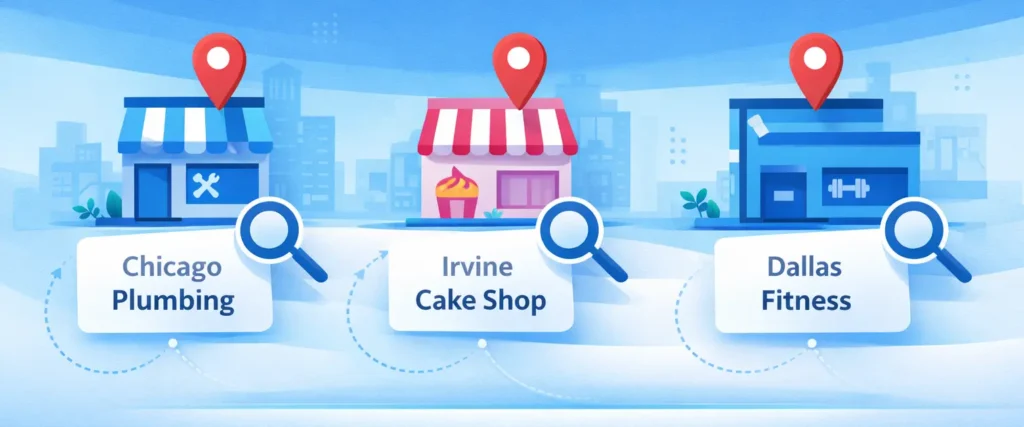
When managing multiple locations, Google views each one as a separate entity. Therefore, location-specific optimization is crucial to ensure that:
-
- Each location appears in local searches for relevant queries.
-
- Google can differentiate between your branches, ensuring that customers are shown the most relevant branch based on proximity.
Bonus Tip: Track Each Location’s Performance. Consider using Google My Business. Insights or a third-party tool to track how each location is performing. This will help you see which local keywords are driving traffic and which branches need more attention in terms of optimization.
How to Get Your Business Featured in the Local Pack
Being featured in the Google Maps Local Pack can drastically improve your local visibility and drive more customers to your business. Here’s how you can optimize your business to be listed in the Local Pack:
1. Earn Local Citations
One of the most important factors in improving your Google Maps ranking is earning local citations. Citations are mentions of your business on other websites (such as local directories, social media profiles, or local review sites). These citations help Google verify your business’s existence and relevance in the local area.
However, building strong citations and earning high-quality local backlinks requires a structured approach. Many businesses choose to strengthen their authority through a professional local link building service that focuses on acquiring relevant local mentions, directory placements, and geographically targeted backlinks that improve Map Pack visibility.
Where to List Your Business for Citations:
-
- Yelp
-
- Yellow Pages
-
- Bing Places for Business
-
- Chamber of Commerce directories
-
- Local news websites or blogs featuring local businesses
Make sure that your NAP (Name, Address, Phone number) is consistent across all directories. Inconsistent NAP details can hurt your ranking and confuse search engines.
Local SEO Tip: To ensure NAP consistency, tools like Moz Local or Yext can help you track your business listings and make updates when necessary.
2. Engage with Your Local Community
Engaging with your local community is a great way to boost your Google Maps ranking. Google values businesses that are actively involved in their local area and community, as this signals relevance and trustworthiness.
Ways to Engage Locally:
-
- Attend Local Events: Participate in community events or sponsor local festivals, charity events, or business expos. Mention these events on your Google My Business (GMB) profile or website.
-
- Partner with Other Local Businesses: Collaborate with local businesses for cross-promotions or joint events. For instance, a local coffee shop could partner with a nearby bookstore to run promotions together, and both businesses can feature each other’s information in their GMB profiles.
-
- Sponsor Local Initiatives: Show your support for local causes or charities, and mention these partnerships on your website and Google My Business.
Local SEO Tip: When engaging with your local community, always make sure to mention the local neighborhood or area in your business profile and posts. This helps Google understand your relevance to specific locations.
3. Update Your Google My Business Profile Regularly
Regularly updating your Google My Business (GMB) profile can show Google that your business is active and involved with your local audience. Keep your profile up to date by posting offers, events, and business updates. Fresh and relevant content signals to Google that your business is active and engaged with its local customers.
GMB Optimization Tips:
-
- Post Updates Regularly: Use Google Posts to share promotions, events, and new products.
-
- Add Seasonal Offers: If your business offers seasonal promotions or discounts, post them directly to your GMB profile.
-
- Respond to Reviews: Show that you care about your customers by responding to their reviews, whether they are positive or negative.
4. Ensure Consistent and Accurate Business Information
Google uses the accuracy and consistency of your business information across the web to assess your trustworthiness and relevance. This includes ensuring your business name, address, phone number (NAP), and business hours are consistent and accurate.
Tips to Ensure NAP Consistency:
-
- Check your NAP on your website, social media profiles, local directories, and review sites
-
- Use tools like Moz Local or Whitespark to monitor your business listings across the web and ensure consistency.
5. Encourage Customer Reviews and Ratings
Customer reviews are one of the most important factors for ranking well in the Google Maps Local Pack. A higher volume of positive reviews signals to Google that your business is trustworthy, which improves your chances of being featured in the Local Pack.
How to Get More Reviews:
-
- Ask satisfied customers to leave a review on your Google My Business listing.
-
- Provide easy-to-follow links or prompts on your website or via email, asking for reviews.
-
- Respond to Reviews: Whether positive or negative, responding to customer reviews shows Google that your business is active and engaged with customers.
How Long Does It Take to Rank Higher on Google Maps?
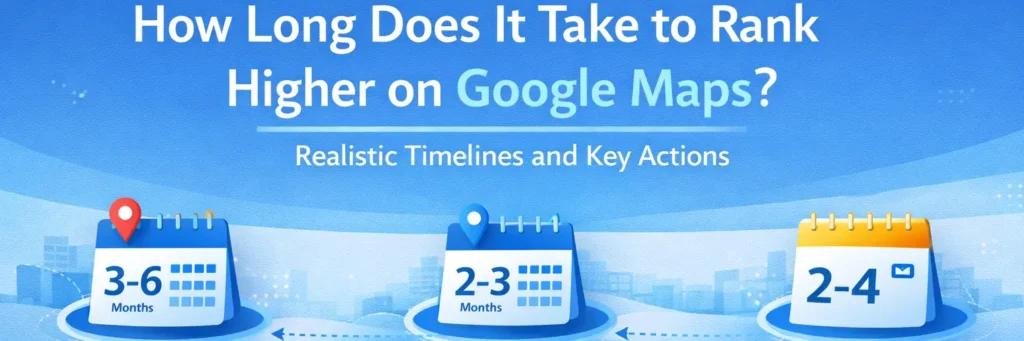
Typically, it can take several weeks to months to see improvements in your Google Maps ranking. However, results will be faster if you consistently optimize your Google My Business (GMB) profile, gather reviews, and follow best practices for Google Maps SEO. Here’s a breakdown of what to expect and how to speed up the process:
1. Realistic Timelines for Ranking Improvement
-
- High Competition Areas: If your business operates in a highly competitive area (e.g., restaurants in downtown cities), it might take 3-6 months to see significant improvements in your Google Maps ranking.
-
- Low Competition Areas: In less competitive industries or regions, you may see results in 2-3 months as long as you maintain consistent optimization efforts.
-
- New Businesses: If you’re just starting out, it may take a bit longer to build your reputation and accumulate reviews. But consistent optimization can help you see initial improvements within 2-4 months.
2. Key Actions to Speed Up the Ranking Process
Although the timeline for Google Maps ranking improvement can vary, the following actions can accelerate the process:
-
- Optimize Your Google My Business Profile: Ensure your business information is complete, accurate, and up-to-date. Fill in all fields, add a compelling business description, and use relevant business categories. A well-optimized GMB profile will give you a strong foundation to rank higher.
-
- Gather More Reviews: Customer reviews are one of the most important ranking factors for Google Maps. A steady stream of positive reviews can significantly improve your local SEO. Actively ask satisfied customers to leave reviews, and be sure to respond to them, especially the negative ones, to show you value feedback and improve your business.
-
- Engage Regularly with Google Posts: Google Posts are a great way to keep your profile active and engage with potential customers. Post regularly about promotions, events, and updates. Fresh, relevant content shows Google that your business is active, which can improve your ranking.
-
- Monitor and Update Your NAP Information: Ensure that your Name, Address, and Phone number (NAP) are consistent across all directories and platforms. Inconsistent NAP data can confuse Google’s algorithm, which may hurt your ranking.
3. How Reviews and Recency Play a Key Role
Google values recent reviews. The more frequent and positive reviews you get, the higher the chances of improving your ranking. If you ask for reviews consistently, you increase the likelihood of showing up in the Local Pack faster.
Bonus Tip: Use Google My Business Insights to monitor performance and track progress. This data can show you how customers are interacting with your listing, helping you make adjustments to your strategy and see where to focus more effort.
Can I Rank Higher on Google Maps Without Paid Ads?
Yes, you can absolutely rank higher on Google Maps without running paid ads. In fact, many local businesses see significant improvements by using organic SEO strategies. Here’s how you can optimize your Google Maps ranking without spending on ads:
1. Optimize Your Google My Business (GMB) Profile
Your Google My Business (GMB) profile is critical to ranking well on Google Maps. Make sure all sections of your GMB profile are complete and accurate:
-
- Business Information: Fill in your business name, address, phone number, hours, and website. Ensure consistency with the NAP (Name, Address, Phone number) across the web.
-
- Business Categories: Select appropriate categories that accurately reflect your services. For example, if you run a plumbing business, choose categories like “Plumber,” “Emergency Plumbing,” and “Water Leak Services.”
-
- Business Description: Write a detailed description of your business, including key services and location-specific keywords.
-
- Add Photos: Businesses with photos are more likely to be noticed by customers. Upload images of your storefront, products, services, and team.
Pro Tip: Google values completeness. The more comprehensive your GMB profile is, the more likely Google will trust your business and rank it higher.
2. Get More Customer Reviews
Customer reviews play a huge role in Google Maps ranking. Positive reviews increase the credibility of your business and signal to Google that your business is trustworthy and reputable. Here’s how to encourage more reviews:
-
- Ask Satisfied Customers: After a positive interaction, kindly ask your customers to leave a review on your GMB profile.
-
- Respond to All Reviews: Engage with your customers by responding to all reviews. Responding to negative reviews with professionalism also shows that you care about customer feedback.
-
- Incorporate Local Keywords: If possible, ask customers to mention specific local keywords in their reviews, such as the city or neighborhood, to increase local relevance.
Pro Tip: Consistency is key. Encourage reviews regularly, as a steady stream of fresh reviews can improve your Google Maps ranking over time.
3. Use Local SEO Tactics
Local SEO is a critical part of ranking higher on Google Maps without relying on paid ads. By implementing local SEO strategies, you can improve your business’s visibility in local search results. Here are a few key tactics:
-
- Local Keywords: Use keywords specific to your location in your website content, blog posts, and GMB description. For example, a plumbing business in Chicago should use keywords like “Plumbers in Chicago” and “Chicago emergency plumbing services”.
-
- NAP Consistency: Ensure your NAP details are consistent across all platforms. This includes social media profiles, local business directories, and review sites.
-
- Backlinks from Local Websites: Build local backlinks by getting mentions from local news sites, business directories, and other local businesses. This will help Google associate your business with the local area.
Pro Tip: If you have a physical location, make sure your name, address, and phone number are listed consistently across local directories and local websites.
4. Post Regularly Using Google Posts
Google Posts are a great way to keep your GMB profile active. Regular posting can help increase your chances of appearing higher in Google Maps search results. Here’s how to use Google Posts effectively:
-
- Promotions and Offers: Post about seasonal promotions, discounts, or special offers.
-
- Events and Updates: Share information about local events, new product launches, or any newsworthy updates about your business.
-
- Call-to-Action: Include a call-to-action (CTA) in your posts to encourage customers to visit your store, call your business, or book an appointment.
Pro Tip: Keep your posts up-to-date. Fresh, relevant content on your GMB profile signals to Google that your business is active and engaged with the local community.
5. Build Local Citations
A local citation is any online mention of your business name, address, and phone number (NAP). Building local citations can help improve your local ranking on Google Maps. Focus on these types of citations:
-
- Local Business Directories: List your business on high-quality, local directories like Yelp, Yellow Pages, Chamber of Commerce, and industry-specific sites.
-
- Local News Websites: Getting mentioned on local news websites or blogs can greatly boost your local SEO and Google Maps ranking.
-
- Social Media: Ensure your business is listed with accurate NAP information on social media platforms like Facebook, Instagram, and Twitter.
Pro Tip: Use tools like Moz Local or Whitespark to help manage your citations and ensure NAP consistency.
How to Use Google Maps Insights to Improve Your Ranking
Google Maps Insights provides invaluable data about how customers are interacting with your Google My Business (GMB) listing. By analyzing this data, you can refine your Google Maps SEO strategy and improve your local ranking. Here’s how to use Google Maps Insights to your advantage:
1. Monitor Click-Through Rates (CTR) and Direction Requests
Click-Through Rate (CTR)
CTR shows how often people click on your listing when they come across it on Google Maps. A high CTR indicates that your business is appealing to local searchers.
-
- How to Improve CTR: If your CTR is low, try optimizing your business title and description to make them more engaging and aligned with what local searchers are looking for. Using more local keywords can help attract the right audience.
Direction Requests
This metric tells you how many people are requesting directions to your business. A high number of direction requests suggests that customers are not only interested in your business but are also ready to visit.
-
- How to Increase Direction Requests: Ensure your business address is accurate and optimized for local searches. Add details about landmarks, nearby streets, or any information that helps users locate your business more easily.
2. Identify High-Performing Areas and Optimize for Those Locations
Google Maps Insights also helps you see where your business is performing well geographically. This insight is essential for businesses with multiple locations or those looking to target specific areas. Identify which areas are generating the most traffic (clicks, direction requests, calls, etc.). If your business has multiple locations, track performance by area and target those regions for further optimization.
How to Optimize for High-Performing Areas:
-
- Use Location-Specific Keywords: Tailor your business description to highlight areas or neighborhoods that are generating the most traffic.
-
- Create Location-Specific Posts: Use Google Posts to share updates, promotions, or events that cater specifically to these high-performing regions.
3. Track User Actions and Engagement
By monitoring how users engage with your listing, you can refine your content to better serve your audience. Insights into user actions, such as phone calls, website visits, and directions requested, allow you to better understand customer behavior.
-
- Why User Actions Matter: Tracking user actions provides insights into customer intent whether they are looking for information, planning to visit, or making direct contact.
-
- How to Leverage This Data: Use the data to adjust your Google My Business profile, posts, and marketing strategy based on what your customers are most likely to do. For example, if you see more calls than website visits, consider making your contact information more prominent in your Google My Business profile.
4. Regularly Update Your Google My Business Profile
Google prioritizes active businesses. Regularly updating your GMB profile shows Google that your business is engaged with customers and that your information is current. Here’s how:
-
- Add Photos: Google Maps Insights can show you how many clicks your photos are getting. If certain photos perform better than others, make sure to add similar ones to improve engagement.
-
- Use Google Posts: Regularly post updates on new offers, events, or products to keep your audience engaged. Insights show how well each post performs, so you can optimize your content over time.
5. Set Up Google Maps Goals and Track Them
To further refine your strategy, set specific goals based on your Google Maps Insights data. For example, if you want to increase direction requests in a particular location, monitor how well your changes are performing.
-
- How to Set Goals: Use Google My Business Insights to set goals for clicks, direction requests, or calls, and track the progress over time. Adjust your strategy based on which goal is most important to your business growth.
Conclusion
Optimizing your Google Maps ranking is essential for attracting local customers and growing your business. By consistently optimizing your GMB profile, gathering positive reviews, and implementing local SEO strategies, you can increase your visibility and drive more traffic to your business.
Ranking higher on Google Maps will not only boost your online presence but also help you stand out in your local community.For personalized assistance and expert guidance tailored to your business goals, partner with Click Path Marketing to strengthen your Google Maps SEO strategy and achieve sustainable local growth.